System Settings
Display Settings
Brightness
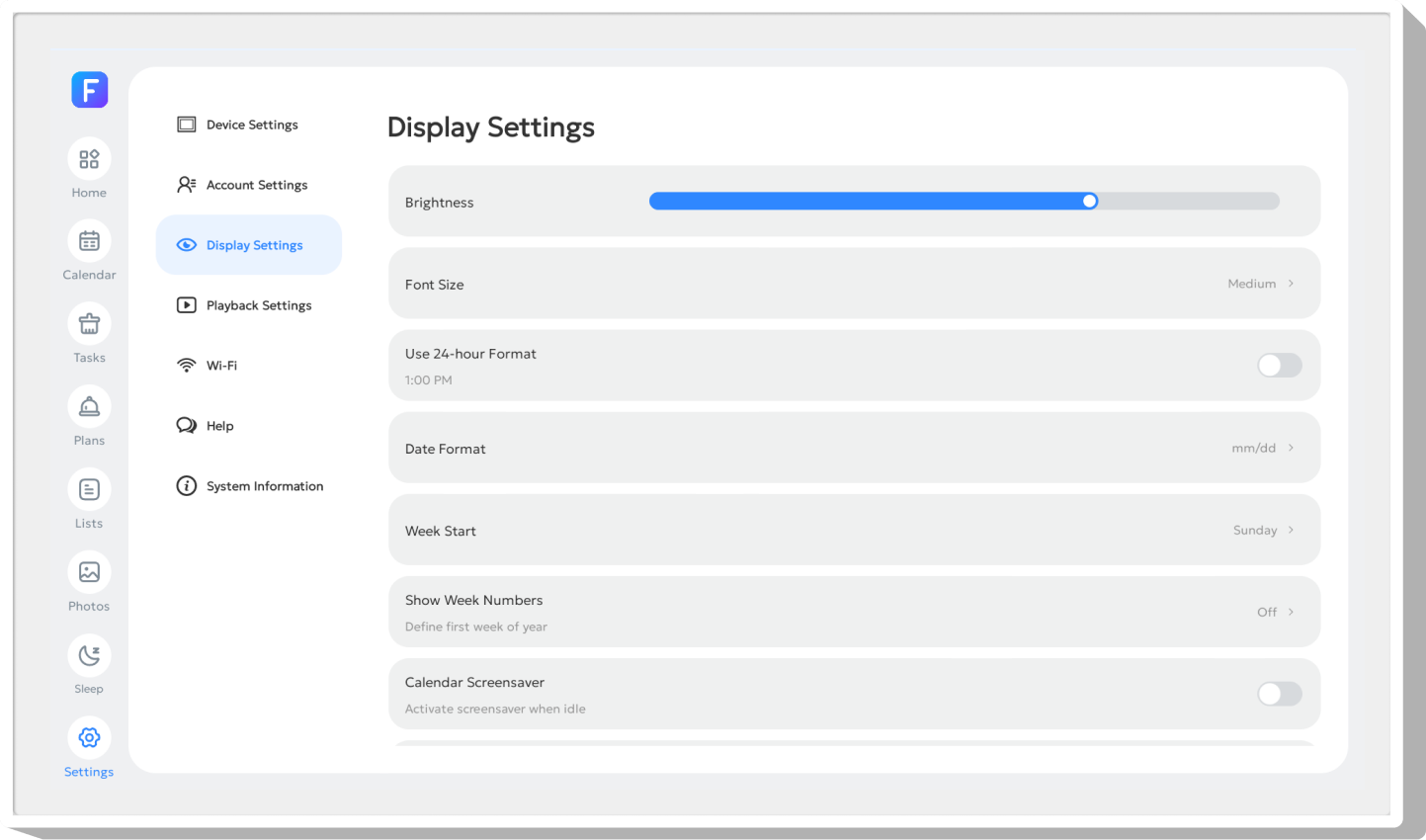
Slide the brightness bar to adjust screen brightness. (If the device supports auto‑light sensing, the screen brightness will adjust automatically when the switch is turned on.)
Font Size
You can set the font size to Large, Medium or Small here. Medium is the device default.
Use 24-hour Format
Switch the time display format between 12-hour (AM/PM) and 24-hour.
Date Format
Adjust the date format to dd/mm or mm/dd as needed. The default format is mm/dd.
Week Start
Set the starting day of the week (e.g., Sunday or Monday) for the calendar view.
Show Week Numbers
Set the first week of the year to calculate the current week number of the year. The week number will be clearly shown on the calendar interface.
Calendar Screensaver
Turn on the switch, and the screensaver will be automatically activated after 5 minutes of inactivity. It synchronously displays photos in the photo frame, combining schedule reminders with a photo screensaver.
Show Standard Info
Turn on this switch to display time, weather and other information during photo playback, art gallery and other scenarios. Turn it off to hide the information. This switch is enabled by default.

Parental Lock
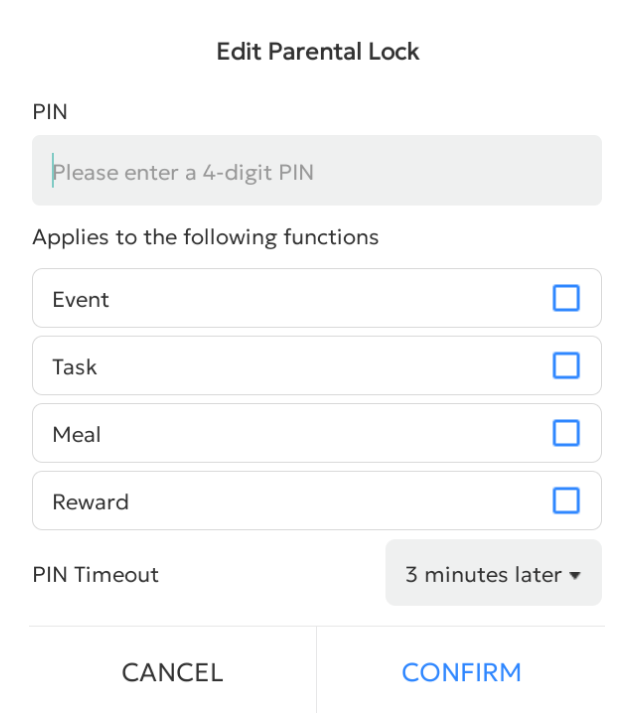
After enabling parental lock, selected items will be locked. A 4-digit PIN code is required to edit or delete them.
You can set a PIN enable time; after entering the PIN once, you won't need to re-enter it within the set duration.
If you forget your PIN, follow the prompts to reset it.